Zero-Trust Home Network Architecture
1 February 2026
Building secure, automated hardware systems (like my Remote PC Relay or my local AI infrastructure) is pointless if your underlying network is a vulnerability.
Most standard home networks are flat, meaning your smart fridge, your cheap Wi-Fi lightbulbs, and your primary desktop PC all share the same exact network space. If one cheap IoT device is compromised, the entire network is wide open. Furthermore, accessing your home servers remotely usually involves opening ports on your router, which is essentially inviting hackers to scan your IP.
I wanted an enterprise-grade setup: Zero-Trust remote access, physical port security, and strict VLAN isolation.
Here is how I built a highly secure, scalable network architecture inside a repurposed server rack.
🛠️ The Hardware Stack
Enterprise networking doesn't have to mean enterprise pricing if you source smartly and build your own infrastructure.
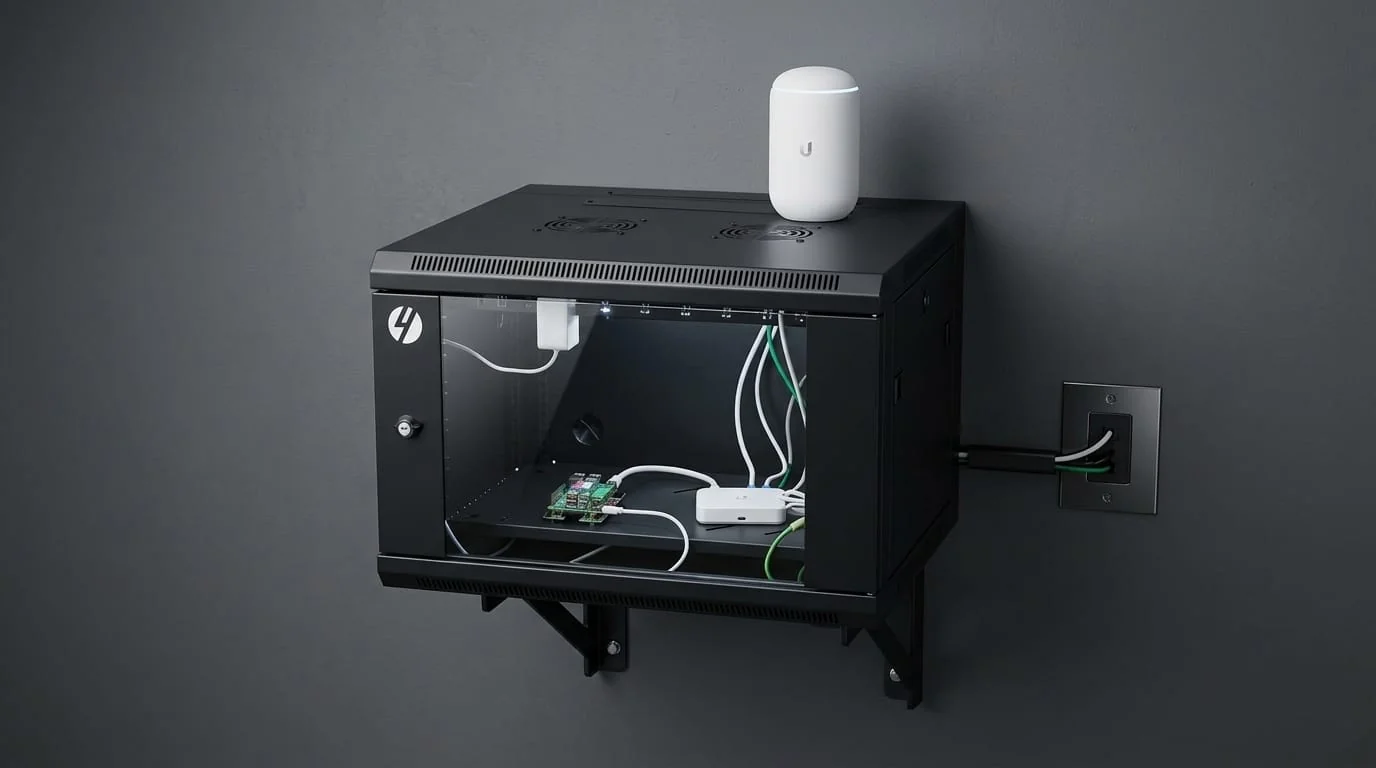
- The Rack: A 6U enclosed server cabinet (Sourced via Facebook Marketplace for $100).
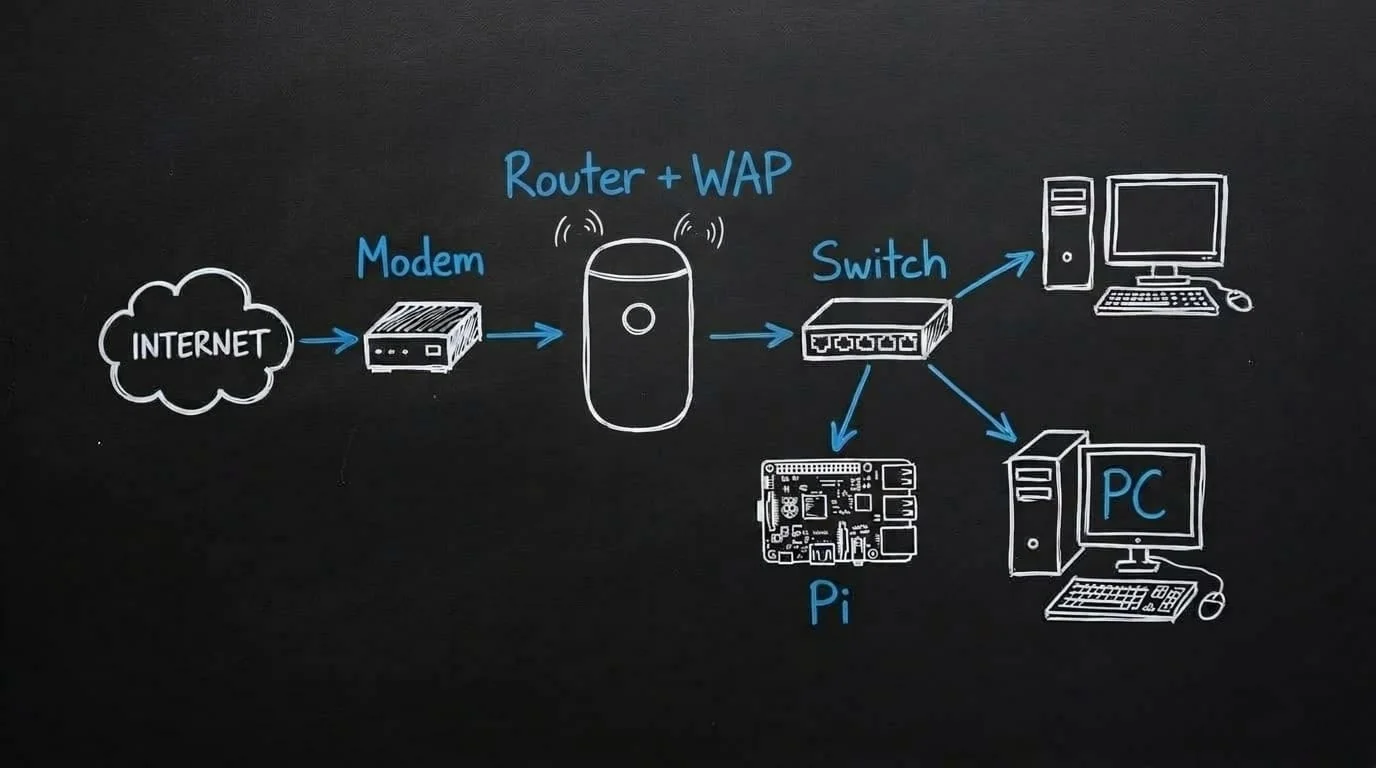
- The Router: UniFi Dream Router (UDR), the brains of the operation, handling routing, VLANs, and firewall rules.
- The Switch: UniFi Flex Mini (4-Port) for expanding the hardwired connections to the servers.
- The Connector: Raspberry Pi 5 (4GB), the dedicated 24/7 gateway for Twingate and OpenClaw.
- Custom Cabling: Instead of buying expensive, messy pre-cut patch cables, I bought a bulk spool of Cat6 and crimped my own RJ45 connectors (T568B wiring standard). This allowed me to cut exact custom lengths to keep the rack perfectly neat, and run tailored drops under the house to various rooms.
(Future Expansion: A Synology DS1825+ 8-Bay NAS and a larger 16-port PoE switch are planned to handle growing data requirements for the Matavex business).
⚠️ The "Faraday Cage" Mistake
A quick lesson learned during the physical build: I originally mounted the UniFi Dream Router inside the metal server cabinet to keep everything neat. I quickly realized I had effectively placed the primary Wi-Fi access point inside a Faraday cage. The wireless speeds tanked instantly.
The Fix: I moved the UDR to sit proudly on top of the rack, instantly restoring gigabit wireless speeds to the house. Always mind your RF physics!
🔒 The Software Architecture (VLANs & Firewall)
The real power of this network isn't the hardware; it's the configuration.
1. VLAN Segmentation
I split the network into physically and logically isolated Virtual LANs (VLANs):
- Management/Main LAN: Where my trusted devices live (My PC, my phone, the Pi).
- IoT (Internet of Things) VLAN: Where the Tasmota smart plugs, relays, and smart TVs live.
- OpenClaw VLAN: Specific network to isolate OpenClaw from the rest of the devices on the netork.
2. Strict Firewall Rules
I configured the UniFi firewall so that the IoT and OpenClaw VLAN is strictly isolated.
- WAN Out Drop: The Tasmota devices are blocked from reaching the internet entirely. They cannot phone home to external cloud servers.
- Inter-VLAN Routing: Devices on the IoT network cannot initiate contact with the Main LAN. The only way communication occurs is if a trusted device (like the Pi) initiates the handshake first.
3. Subnet Obfuscation
Instead of using the standard consumer 192.168.1.x subnet, I shifted the entire network architecture to a 10.x.x.x address space. While not a silver bullet, it adds a layer of obscurity against automated malware designed to scan standard consumer subnets.
4. Physical Port Security
If someone were to physically plug a laptop into an empty port on the back of the switch, they would get nothing. I mapped specific MAC addresses to specific physical ports on the UniFi switch. Any unused ports are administratively deactivated. You cannot tamper with this network simply by plugging into it.
🌍 Twingate: Zero-Trust Remote Access
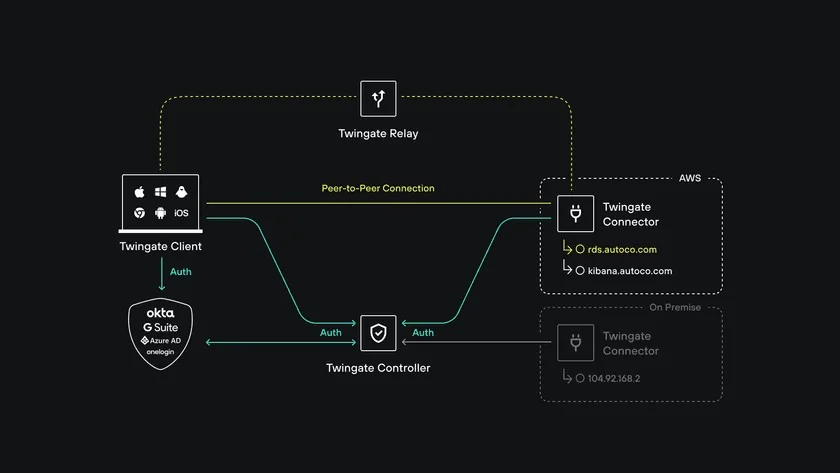
To control my remote PC relay or interact with my OpenClaw AI models while I am out of the house, I need to reach my local network. Historically, this meant setting up OpenVPN or WireGuard and opening an inbound port on the router. I did not want open ports.
Instead, I deployed Twingate, a modern Zero-Trust Network Access (ZTNA) solution.
How it works:
- I installed the Twingate Connector as a Docker container running on the Raspberry Pi 5.
- The Pi maintains a secure, outbound-only connection to the Twingate relay servers.
- Because the connection is outbound, there are zero open ports on my UniFi router. My external IP address is completely invisible to port scanners like Shodan.
The Remote Experience:
When I am at a coffee shop or in a different country, I simply toggle the Twingate app on my phone or laptop.
It seamlessly injects my home network's DNS directly into my device. If I type ssh [email protected], Twingate securely routes that traffic through the Pi and straight into my local machine.
I can monitor my server health, run VS Code remotely, trigger the Tasmota wall plugs, and command my local AI agents, all with enterprise-grade encryption and zero exposed attack surfaces.